How Far Can 4K HDMI Travel over Cat6?
For 4K HDMI over Cat6, the correct distance is not one universal number. A 70 m extender may reach 70 m at 1080p but only 40 m at 4K, while a higher-reach design may carry 4K60 for 100 m. Selected long-reach systems can reach 120 m over Cat6 and 150 m over Cat6a/7, but only when the product specification explicitly supports that combination.
The safe way to specify a link is to match four items together: video format, cable category, extender model and total installed channel length. This guide uses product-rated values from Deepview engineering documentation and current product pages; the completed link should still be tested before handover.
Quick answer: how far can 4K HDMI travel over Cat6?
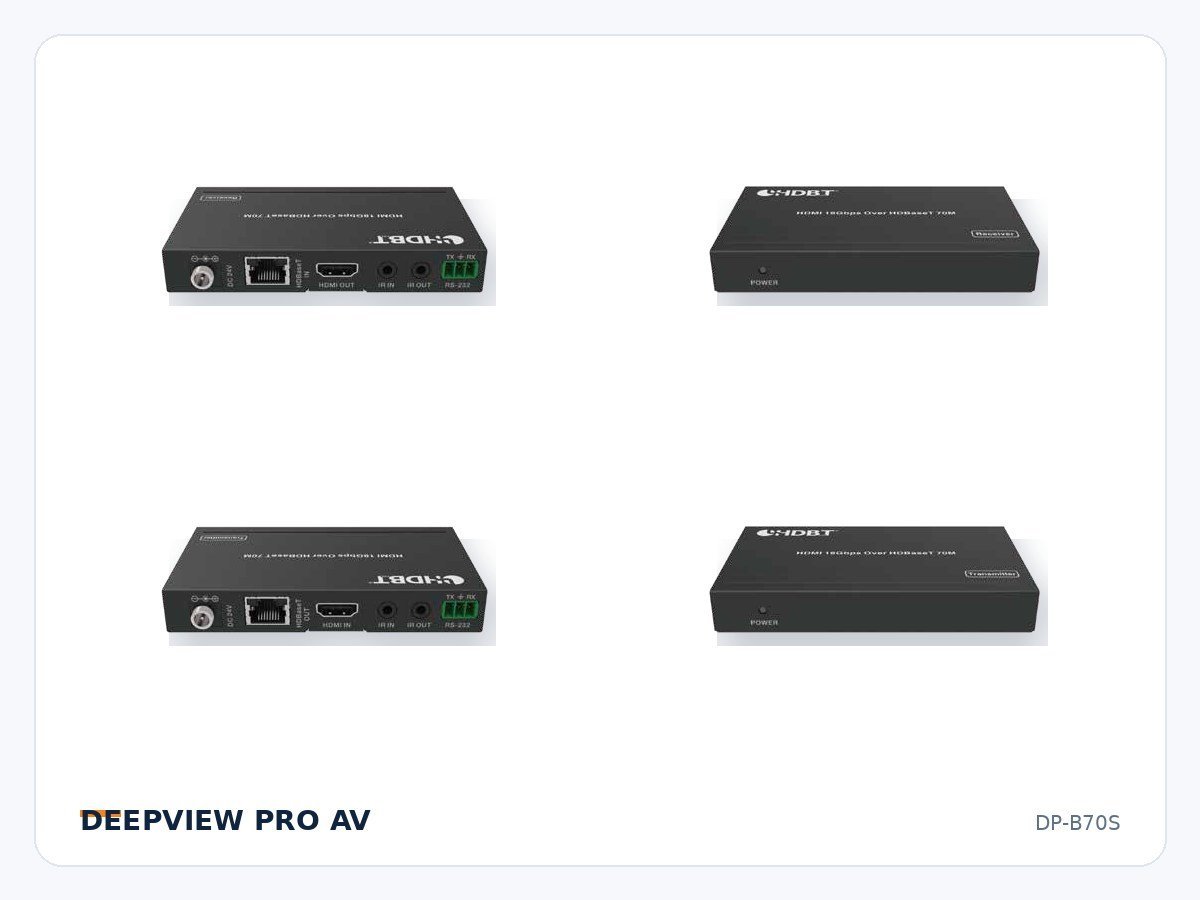
Up to 40 m: this is a common 4K limit for a 70 m-class HDBaseT extender. For example, the Deepview DP-B70S is rated for up to 40 m at 4K and up to 70 m at 1080p over Cat6/6a/7.
Up to 70 m: this may describe the maximum link at 1080p on a compact extender, or a 4K distance on a different HDBaseT generation. Never use the product’s headline distance without reading the format-specific line.
Up to 100 m: a higher-reach extender can support this distance at 4K when its specification says so. The Deepview DP-EHB100AE is rated for up to 100 m at 4K over Cat6/6a/7 and also carries ARC or S/PDIF audio return, IR, RS-232 and power over cable.
Up to 120 m or 150 m: these are product-specific long-reach figures, not a general Cat6 rule. One long-reach design in the current engineering documentation is rated for 4K60 4:4:4 up to 120 m over Cat5e/6 and up to 150 m over Cat6a/7. Confirm the exact hardware revision and cable requirement before quoting either distance.
For a broader view of available formats and functions, see the Deepview signal extender range.
Why the number changes with resolution and chroma
“4K” is not a complete signal specification. A project may use 4K30 or 4K60, RGB or YCbCr, 4:4:4 or 4:2:0 chroma sampling, 8-bit or higher color depth, and SDR or HDR. These choices change the required data rate. A link that is stable at 1080p—or even at a lower-bandwidth 4K format—may fail when the source switches to 4K60 4:4:4 with HDR.
HDCP and EDID are part of the same system conversation. If the source and display negotiate a format near the link limit, intermittent video, sparkles, dropouts or a blank screen may appear. That is why the acceptance test must use the actual source format and content protection mode, not only a low-resolution test pattern.
Cat6, Cat6a and Cat7 are not interchangeable promises
Cable category is one part of link performance, but installation quality matters just as much. Conductor material, cable construction, pair geometry, connector quality, bend radius, patch panels and electrical noise can all reduce margin. A permanent link assembled from good components can outperform a nominally higher-category channel with poor termination.
The HDBaseT Alliance technology overview explains that supported distance varies by HDBaseT generation and cable type. It recommends Cat6a U/FTP for realizing the full capability of HDBaseT 3.0. Installers can also consult the Alliance’s certified product and recommended cable resources.
For design purposes, read the distance line literally. If a data sheet says “120 m over Cat5e/6 and 150 m over Cat6a/7,” Cat6 should be specified as a 120 m path—not a 150 m path. If it says “40 m at 4K and 70 m at 1080p,” the 70 m value must not be transferred to the 4K row of the project schedule.
How to select the right extender distance class
1. Define the maximum source format. Record resolution, frame rate, chroma sampling, color depth, HDR requirement and HDCP version. “4K source” alone is not enough for procurement.
2. Measure the installed channel, not the floor-plan straight line. Include service loops, vertical risers, patching and both ends of the route. Leave engineering margin instead of designing exactly to the published limit.
3. Select the cable category from the product’s own specification. Use solid-copper professional installation cable and compatible terminations. Avoid substituting copper-clad aluminum cable in a link carrying video and power.
4. Confirm every transported function. Video distance is only one requirement. A room may also need bidirectional IR, RS-232, USB/KVM, Ethernet, ARC/eARC, audio de-embedding or power over cable. Choose a model whose complete feature set matches the control and audio design.
5. Test the real end-to-end path. Certify the category channel where required, then run the highest intended video format with the real transmitter, receiver, source and display. Save the test result with the project documentation.
Three practical design examples
Meeting room: 35 m, 4K60 4:4:4
A 70 m-class extender can be appropriate when its data sheet supports the required 4K format to at least 40 m. The DP-B70S fits this distance class and adds bidirectional IR, RS-232 and power over cable. The installed route should remain inside the 4K rating after service loops and patching are included.
Lecture hall: 85 m, 4K with audio return
Move to a 100 m-class product instead of stretching a 70 m-class link. The DP-EHB100AE is designed for up to 100 m at 4K and includes ARC or S/PDIF return plus audio de-embedding. That makes it suitable when program video travels toward the display while display audio must return to the equipment rack.
Campus auditorium: 135 m, 4K60 4:4:4
This route is outside a normal 100 m channel. Use a model expressly rated for the distance and specify Cat6a/7 if the product requires it for 150 m. If route conditions or future bandwidth are uncertain, compare a fiber extender rather than relying on the maximum copper figure without margin.
Installation practices that protect link margin
Keep category cable away from mains power and high-noise equipment, preserve pair twist through termination, respect the specified bend radius and avoid crushing cable bundles. Use the same tested channel components throughout the run. Each coupler, patch lead and field termination becomes part of the channel and can consume margin.
Power over cable simplifies receiver installation, but it also makes cable construction and termination quality important for both performance and safety. Confirm which end supplies power, do not connect or disconnect field wiring carelessly under load, and follow the product manual and local cabling rules.
Troubleshooting an unstable 4K link
Start with format isolation. Temporarily set the source to 1080p. If the link becomes stable, investigate bandwidth, cable loss, termination and the negotiated 4K format rather than assuming the extender has failed.
Inspect the whole channel. Check pinout, pair continuity, patch leads, couplers and wall plates. A cable tester that only reports continuity cannot prove high-frequency performance.
Verify EDID and HDCP. Confirm that the source is reading the intended display capability and that every device in the chain supports the selected format and protection version.
Test locally at both ends. Use short known-good HDMI cables and a direct display test. This separates the HDMI source/display problem from the category-cable transport problem.
Do not hide a marginal link with a lower format. Lowering resolution can be a diagnostic step, but the final remedy should meet the specified format with repeatable margin.
Frequently asked questions
Can Cat6 carry 4K60 HDMI?
Yes, when the selected extender supports 4K60 over Cat6 at the required distance and the installed channel meets its specification. The cable category alone does not guarantee the video format or distance.
Why does a 70 m extender list only 40 m for 4K?
The headline distance often refers to 1080p. Higher-bandwidth 4K formats reduce the supported distance on that extender design. Always use the resolution-specific value.
Is Cat6a better than Cat6 for HDBaseT?
Cat6a can provide more high-frequency and alien-crosstalk margin and is required or recommended for the longest distance or newest-generation links on some products. Follow the exact cable requirement in the extender data sheet.
When should I choose fiber instead?
Compare fiber when the path exceeds the supported copper distance, crosses electrically noisy areas, runs between buildings, requires electrical isolation or needs more upgrade headroom. The choice should consider control, USB, audio and power requirements as well as video.
The specification rule to remember
Quote distance only together with the signal format and cable type. “4K over Cat6” could mean 40 m, 70 m, 100 m or a product-specific 120 m—not an automatic 150 m. For help matching resolution, distance, control and audio requirements, review the signal extender range or send Deepview your project requirements.
Reviewed by the Deepview Pro AV Engineering Team. Last reviewed: September 4, 2026. Product capabilities vary by model and hardware revision; confirm the current data sheet before final specification.